Home› Help ›How to delegate by using the MultiversX Web Wallet Tutorial March 24, 2021
How to delegate by using the MultiversX Web Wallet
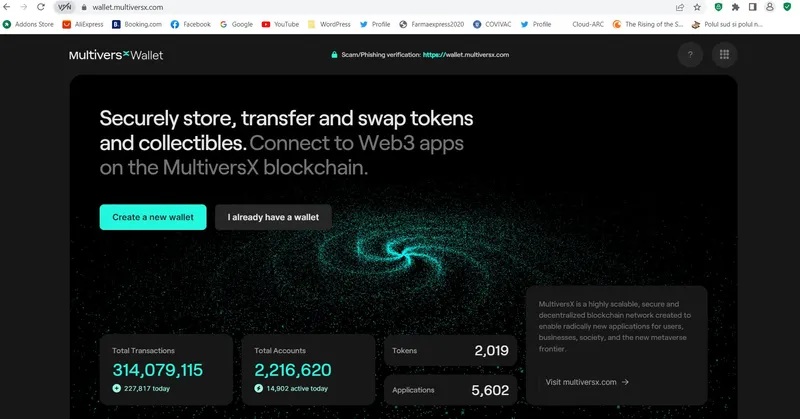
1. Visit the official MultiversX Web Wallet website and click on “I already have a wallet”:
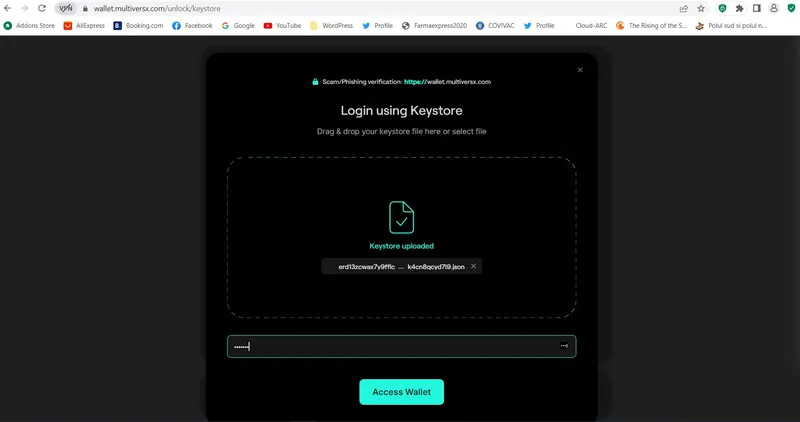
2. Log in here with the Keystore file & Password of your MultiversX Web Wallet:
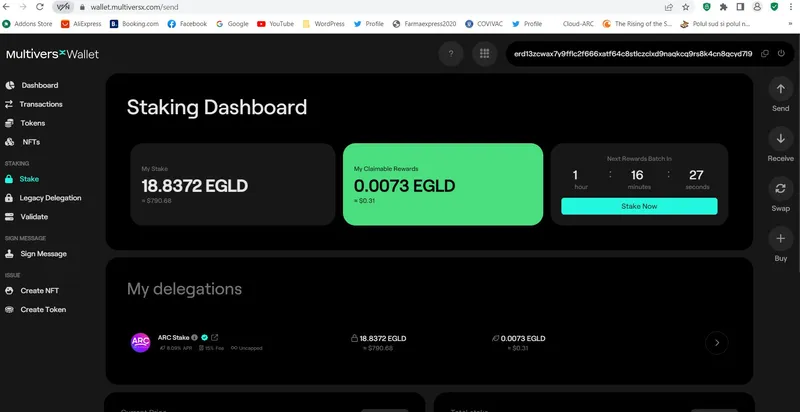
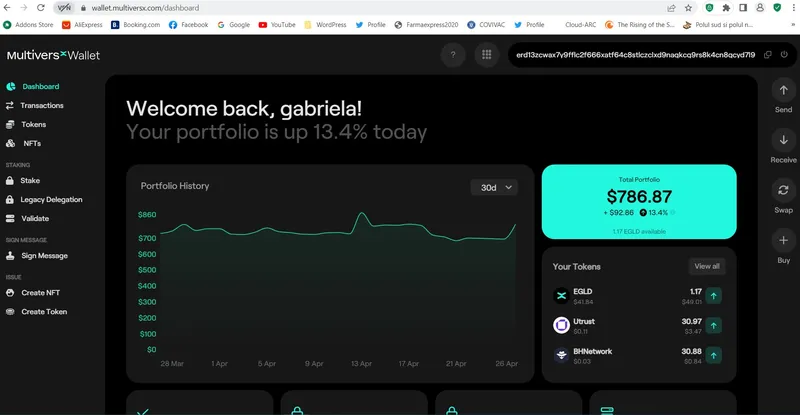
3. Look for the “Stake” option placed on the left menu bar and access it:
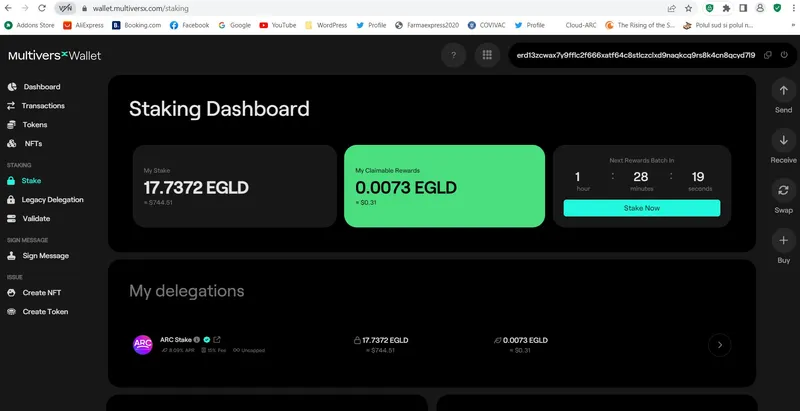
4. Inspect the “Staking Dashboard” and click on the “Stake Now” blue button, placed up, right:
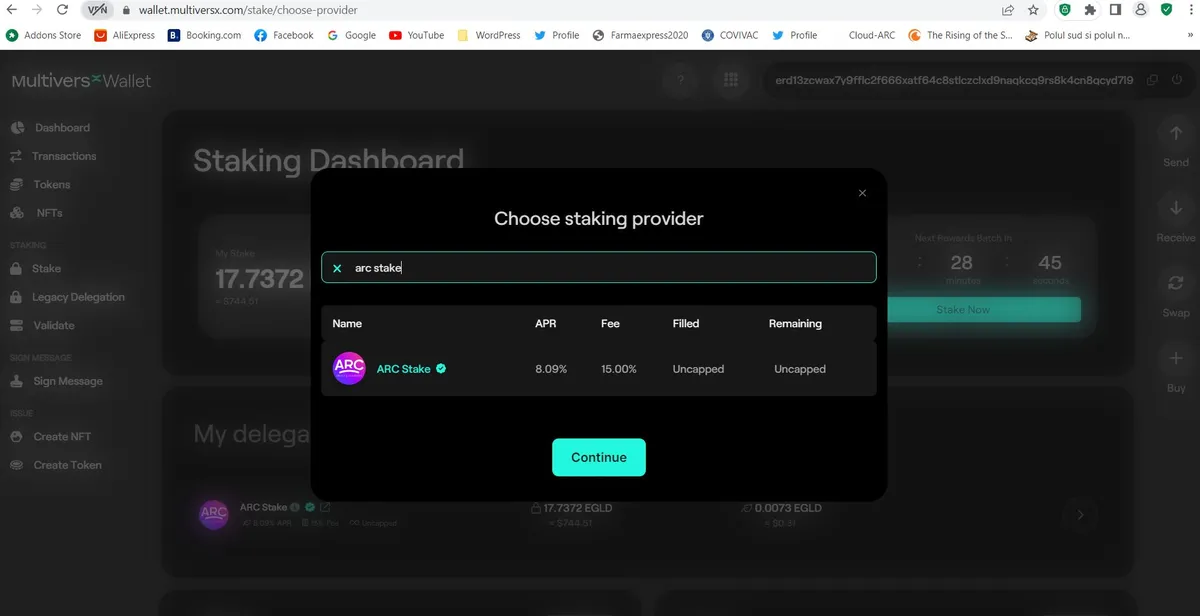
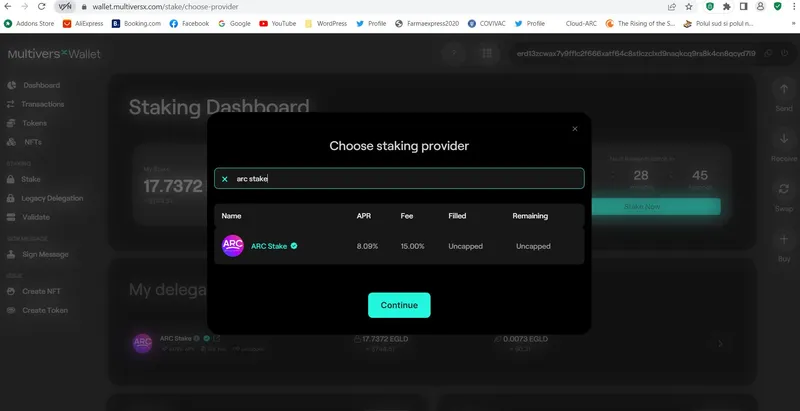
5. Choose ARC Stake as your staking provider, then click on the “Continue” button:
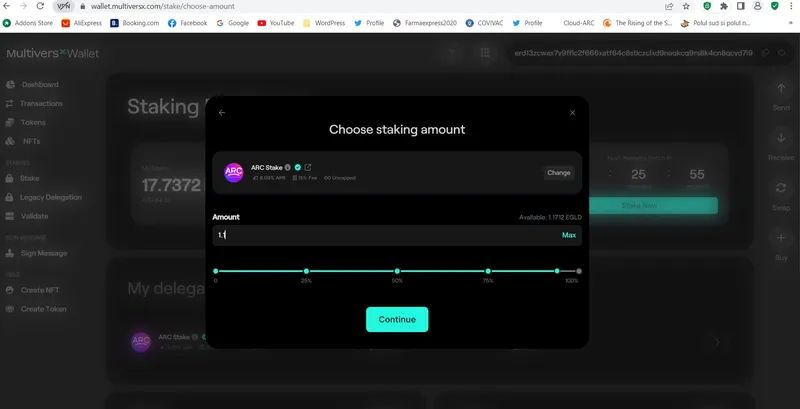
6. Fill in the field with the amount of eGLD you intend to delegate, then “Continue”:
7. Analyse the details of your request (Receiver, Amount, Fee, Data), then “Confirm”, if you agree:
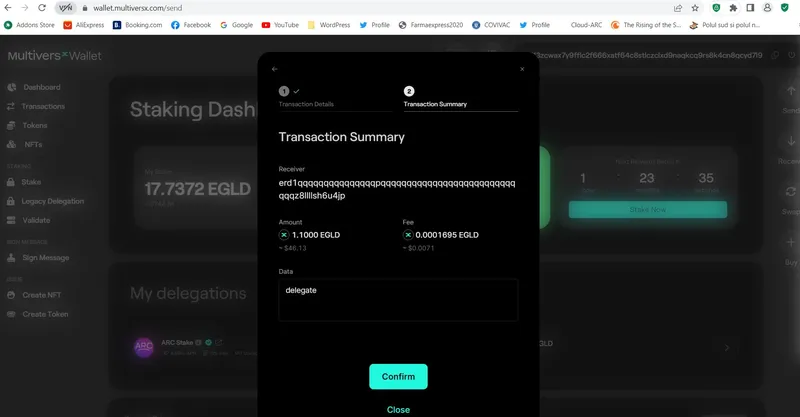
8. You will view in real time how your staking transaction is processed:
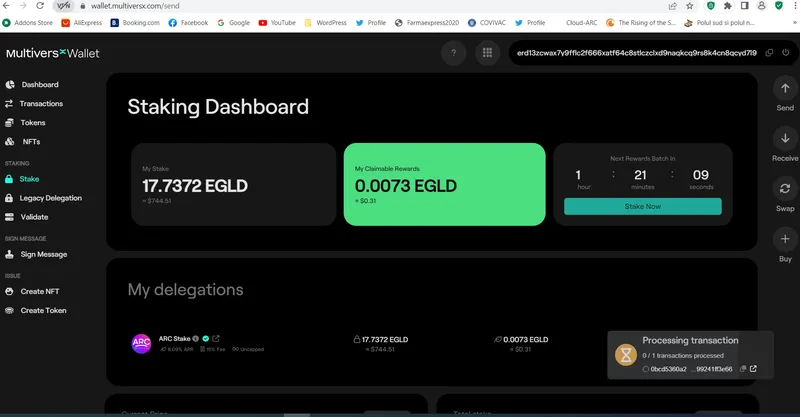
9. On the “Staking Dashboard” will now appear the detailed situation of your delegations: